Skip to content
homePad

Collaborative web app

homePad Reports

All your visits and all your reports, shared by the whole team. Create and assign visits, duplicate a previous visit, find the history of every unit and every building, and resend signed reports to the parties. The fieldwork happens in homePad App; everything else happens here.

Included from the Pro plan

Features

What homePad Reports does.

  • A space shared by the whole team

  • The full history of every property

  • Secure storage for your documents

  • Search, share, export

Collaborative

Prepare your visits as a team.

Share out visits across your team, keep the history of every property and never start a visit from scratch again.

  • Assign visits

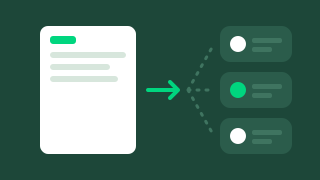
    Assign each visit to a member of your team: it appears in their app, ready to start, and comes back completed and signed in homePad Reports.

  • Duplicate a visit

    Create a visit from a previous one: contacts, keys, meters, documents, comments and photos are carried over. The move-out starts from the move-in; all that is left is to inspect.

  • Visit history

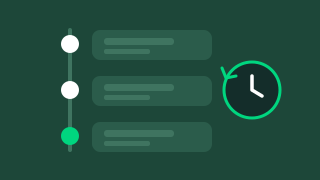
    Every unit, building and contact has its own Visits tab: who came, when, and the reports that came out of it.

  • One team, several agencies

    Administrators, managers, assistants and field agents each have their own role, and you switch from one entity to another without changing accounts.

The catalogue

A report for every moment in the life of a property.

1 credit = 1 report. Every plan includes a number of reports per year, and Pro and Entreprise include 10 free 2D / 3D plans.

  • Move-in and move-out inspections

    The joint inspection of the home, room by room, with photos, meter readings and key handover.

    All plans

  • Technical building visit

    Common areas, equipment, safety: the building's condition documented at every visit.

    From Pro

  • Deposit deductions

    Damage found at move-out, costed and backed up by the move-in photos.

    From Pro

  • Works report

    The works to plan, room by room, ready to send to your contractors.

    From Pro

  • Furniture inventory

    The furniture and equipment of a furnished home, with their condition and photos.

    From Pro

  • 2D / 3D plan

    The measured plan of the property, attached to the report or sent on its own.

    10 free plans from Pro

  • AI reports

    Move-in / move-out comparison, works estimate, deposit deduction estimate, report summaries.

    From Pro

  • Your own templates

    Pre-inspection, regulatory inspection, end-of-works visit: set up the report you need.

    Unlimited templates from Pro

In detail

Designed for your daily work.

The history of every unit and every building

Your portfolio's memory, available at any time.

Open a unit, a building or a contact: the Visits tab lists every past and upcoming visit, with its reports, photo gallery and attachments. From the first tenant moving in to today, nothing gets lost.

  • A Visits tab on every unit, building and contact
  • The reports, photo gallery and attachments of every visit
  • Move-in and move-out side by side for the AI comparison report
Find any visit in seconds

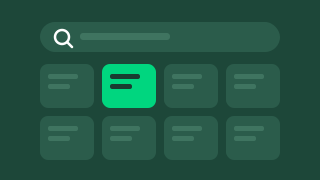
Filter your visits by property manager, landlord, visit type (move-in, move-out, move-in and move-out, pre-inspection), report type, unit reference, status and period, or search for them directly. Sort them by visit date, creation date or last update.

Result: every property manager sees at a glance what is to do, in progress or done.

Signed reports sent to the parties

The report goes out as soon as the visit is closed.

When the visit is closed, the signed reports are emailed to the parties. Need to send them again? Resend the email to the contacts of your choice: every send is kept in the visit's history, and the PDF can be downloaded at any time.

  • Signed reports sent when the visit is closed
  • Email resent to the contacts of your choice
  • A history of the emails sent
  • The PDF available for download at any time

Your templates and your brand

From the administration area, set your sections, your lists, your PDF options, your logo and your main colour, as well as the emails and calendar invitations sent to the parties. The whole team gets the same settings straight away.

Result: consistent, branded reports, whoever carries out the visit. Unlimited, customisable templates from the Pro plan.

From inspection to repair

The report doesn't stop at the PDF.

The works noted during the visit become repair requests in homePad Resolve: quotes, cost estimates and contractor follow-up start from the report, with nothing to re-enter.

  • A repair request created from the report
  • The inspection photos attached to the request
  • Follow-up until the works are finished

AI reports · from the Pro plan

The AI writes the rest of the report. You approve it.

From your findings and photos, homePad prepares the documents that used to take hours at the office. Nothing goes out without your approval: the AI suggests, the professional approves.

  • Move-in / move-out comparison
  • Works estimate
  • Deposit deduction estimate
  • Report summaries

How it works

The office and the field, finally connected.

  1. homePad Reports

    You prepare

    In homePad Reports, create the visit, choose the unit and the parties, then assign it to a member of your team, or duplicate a previous visit.

  2. homePad App

    The visit

    The inspector carries out the visit with homePad App, on a tablet or smartphone, even without a network, and has it signed on the spot.

    Discover homePad App
  3. homePad Reports

    You find everything

    When the visit is closed, the signed reports go out to the parties and join the history of the unit and the building.

Also on a computer for your inspections

Your inspections from a Windows computer, even offline.

homePad Reports installs like an app on your computer (progressive web app). Your move-in and move-out inspections run directly on a Windows tablet or laptop, fully offline, and sync as soon as the network is back. For all other reports (technical building visit, furniture inventory, deposit deductions, works report, 2D / 3D plans), use homePad App on iOS and Android.

100% offline

Pricing

homePad Reports in our plans

  • Starterfrom €19 per monthNot included
  • Profrom €59 per monthIncluded
  • Entreprisefrom €168 per monthIncluded

Frequently asked questions

Your questions about homePad Reports

What is the difference between homePad App and homePad Reports?

homePad App is the mobile app you use to carry out the visit and have it signed on the spot. homePad Reports is the web app where you prepare and assign visits, work as a team, find the history of every unit and resend reports to the parties.

Can I hand a visit over to a colleague?

Yes. Assign the visit to a member of your team: it appears in their app and comes back completed and signed in homePad Reports. You can also duplicate a visit, for example start from the move-in to carry out the move-out.

How do I resend a report to a tenant or a landlord?

Open the visit and resend the email to the contacts of your choice. Every send is kept in the visit's history, and the PDF can be downloaded at any time.

Can I carry out an inspection from a Windows computer?

Yes. homePad Reports installs as a progressive web app: your move-in and move-out inspections run on a Windows tablet or laptop, fully offline. The other reports (technical building visit, furniture inventory, deposit deductions, works report, 2D / 3D plans) are done with homePad App on iOS and Android.

What is a credit?

One credit is one report. Your plan includes a number of reports per year, chosen when you subscribe. Pro and Entreprise also include 10 free 2D / 3D plans.

Where can I find my old reports?

In the Visits tab of each unit, building or contact. Reports made with another tool can be imported during setup.

Do AI reports replace the property manager?

No. The AI prepares the comparison, the estimates and the summary; the property manager reviews, corrects and approves them before anything is sent.

Ready to move your inspection reports and visits to homePad?

Book a personalised 30-minute demo with our team.

Talk to an advisor

Personal data: see our privacy policy (in French).

How many pages are viewed and how visitors move through the site. Measured with Google Analytics, for our own use.